Open source · Go · single binary
Your whole Git history,
on one screen.
gitpad is a terminal UI for Git: a branch tree, a colored commit graph, changed files and commit details side by side — with context menus for checkout, merge, rebase, cherry-pick and reset, a commit workspace and a push dialog.
brew tap jinhyo-dev/gitpad https://github.com/jinhyo-dev/gitpad && brew install --cask gitpadTry it right here
This is a faithful re-creation of gitpad running in your browser on a fictional repository. Click it, then use the keys — it behaves like the real thing.
A Git TUI built around the log
gitpad is a terminal user interface (TUI) for Git. Instead of stitching together git log, git branch and git diff, you get the commit graph, the branch tree, the changed files and the commit details on one screen — the way a desktop Git client shows them, inside the terminal you already work in.
It is a single Go binary that drives your own git, so hooks, credential helpers and signing keys keep working. Repositories hosted on GitHub get check status next to every commit, and a commit workspace and push dialog cover the everyday GitHub workflow without leaving the keyboard.
- Platforms
- macOS · Linux · Windows
- Install
- Homebrew · apt · Scoop · go install
- License
- MIT, open source
- Language
- Go (bubbletea)
See it in action
Every feature, recorded on a fictional repository.
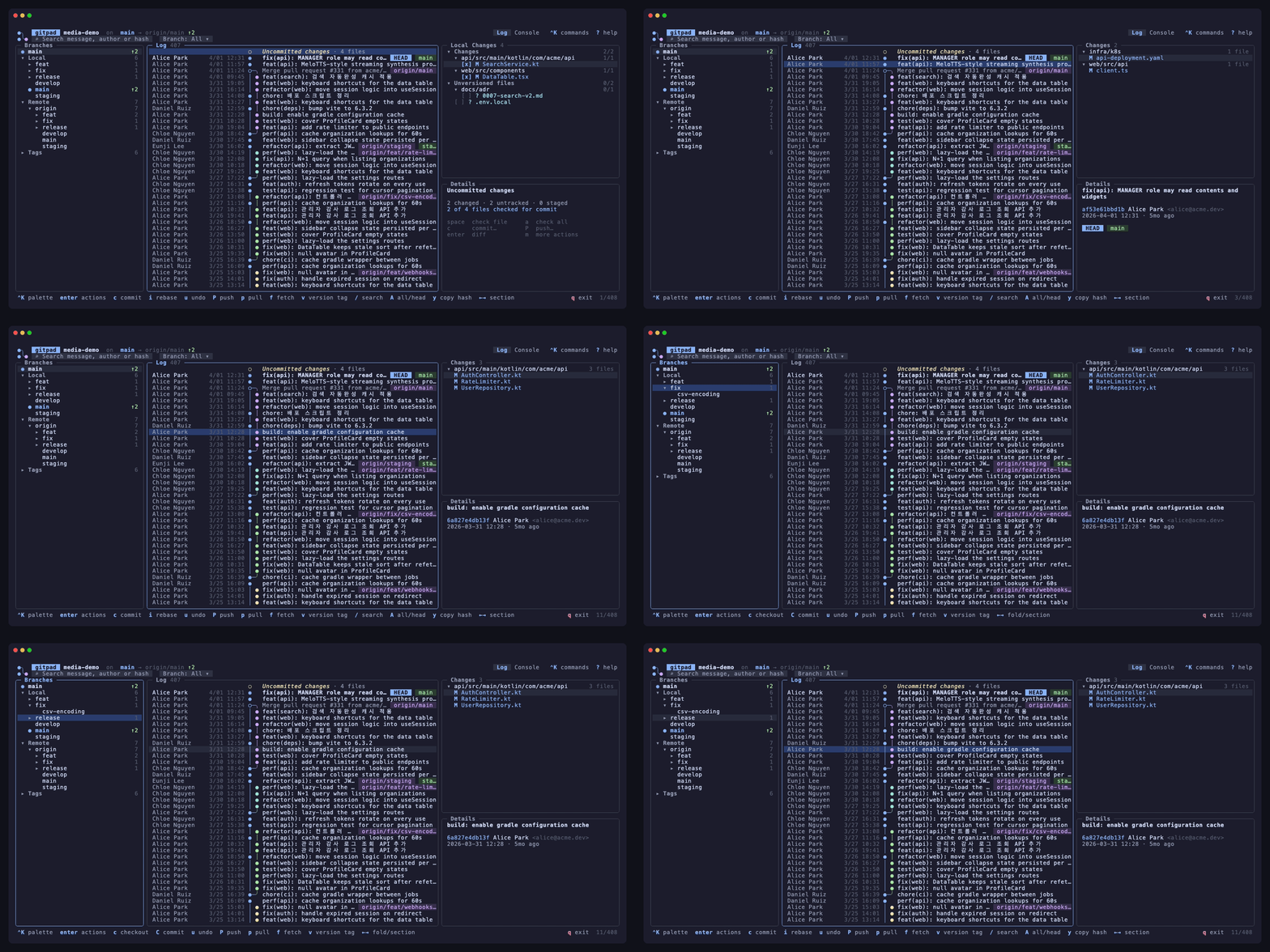
Log, graph & branches
Commit graph with lanes and ref chips, branch tree with ahead/behind, changed files and details for the selected commit.
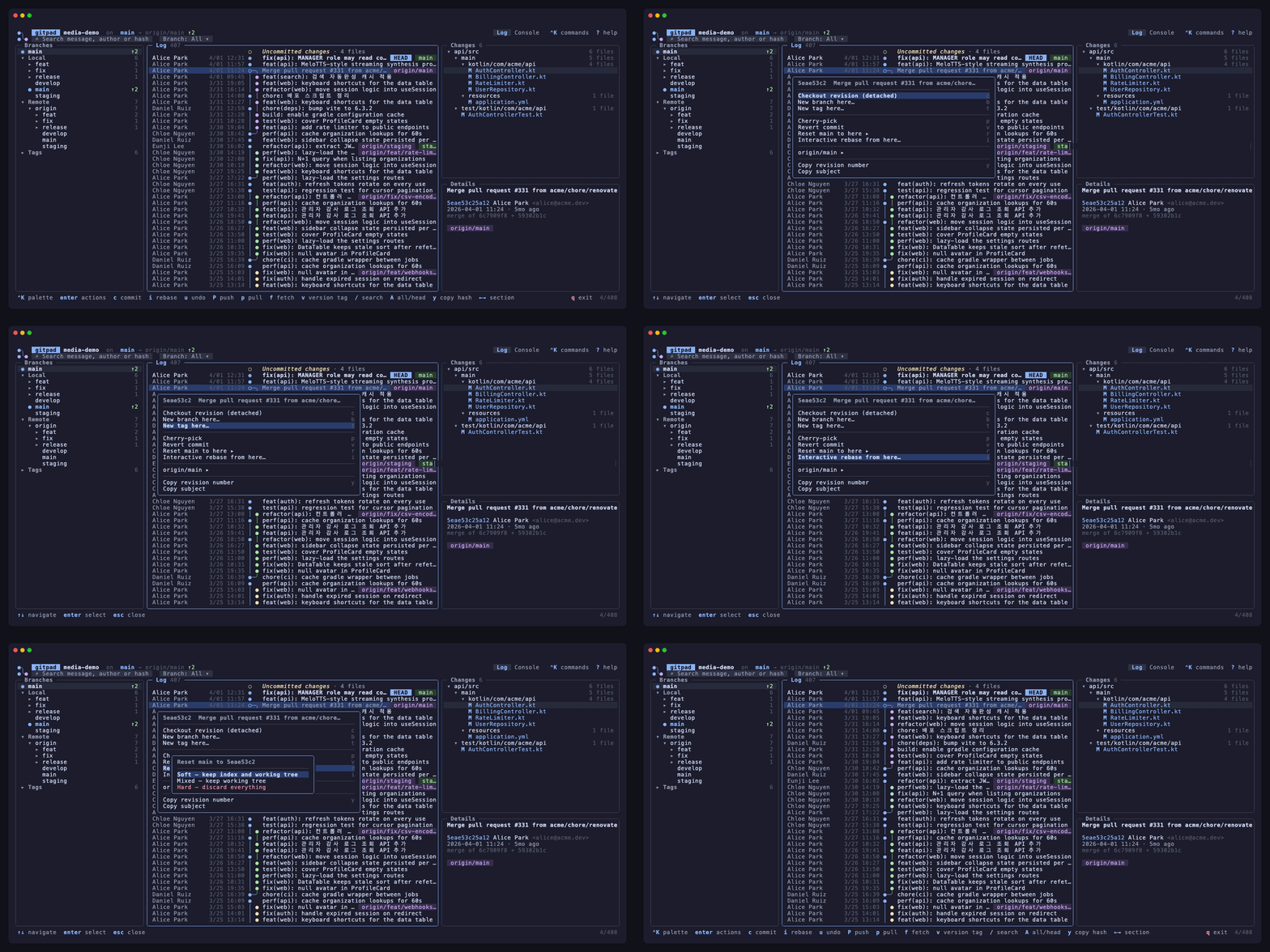
Context menus
Enter or right-click on a commit: checkout, cherry-pick, revert, reset (soft/mixed/hard), new branch or tag, interactive rebase.
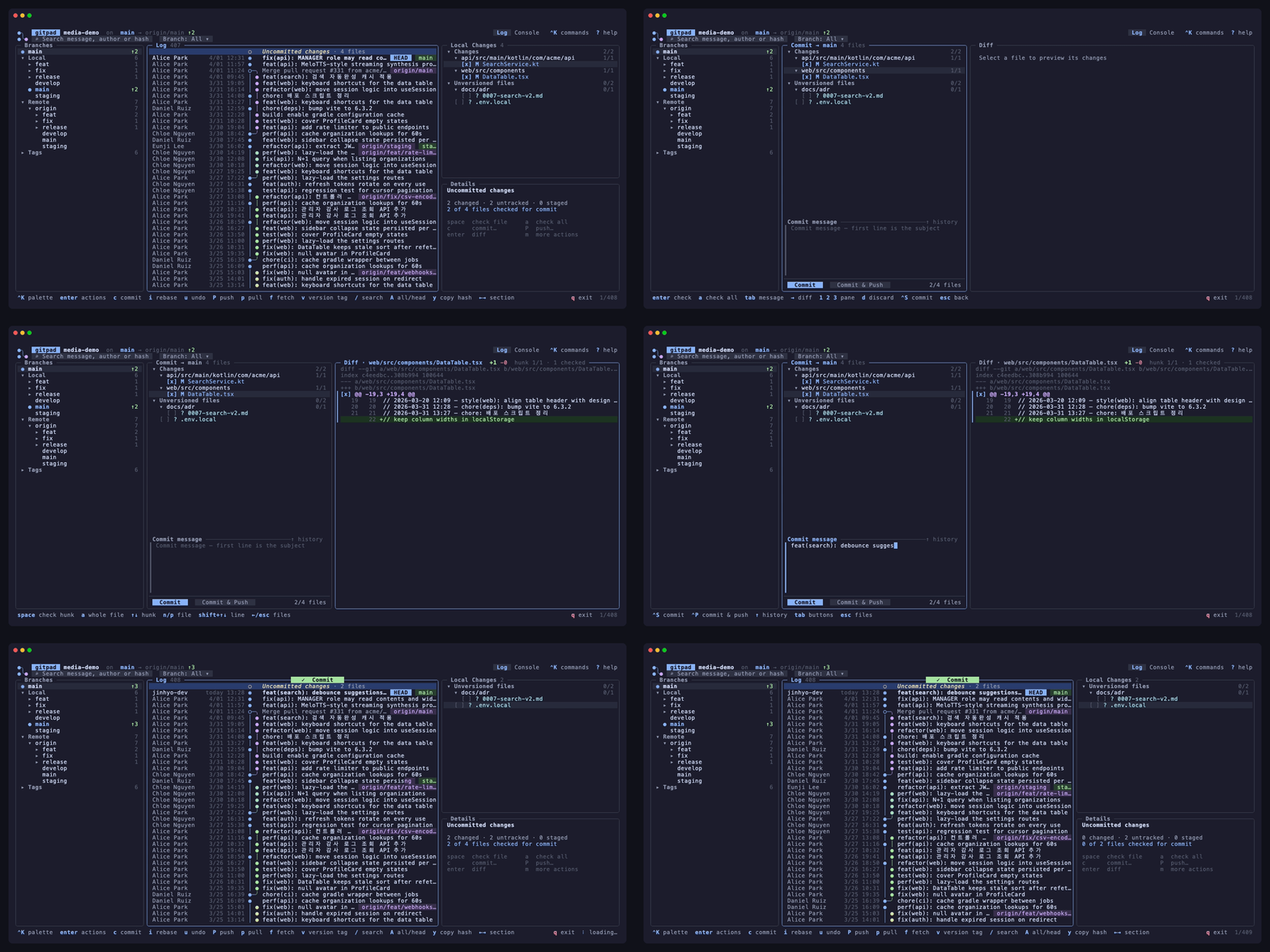
Commit workspace & hunk staging
Check files or individual hunks, write the message, preview the diff and commit — the rest stays in the working tree.
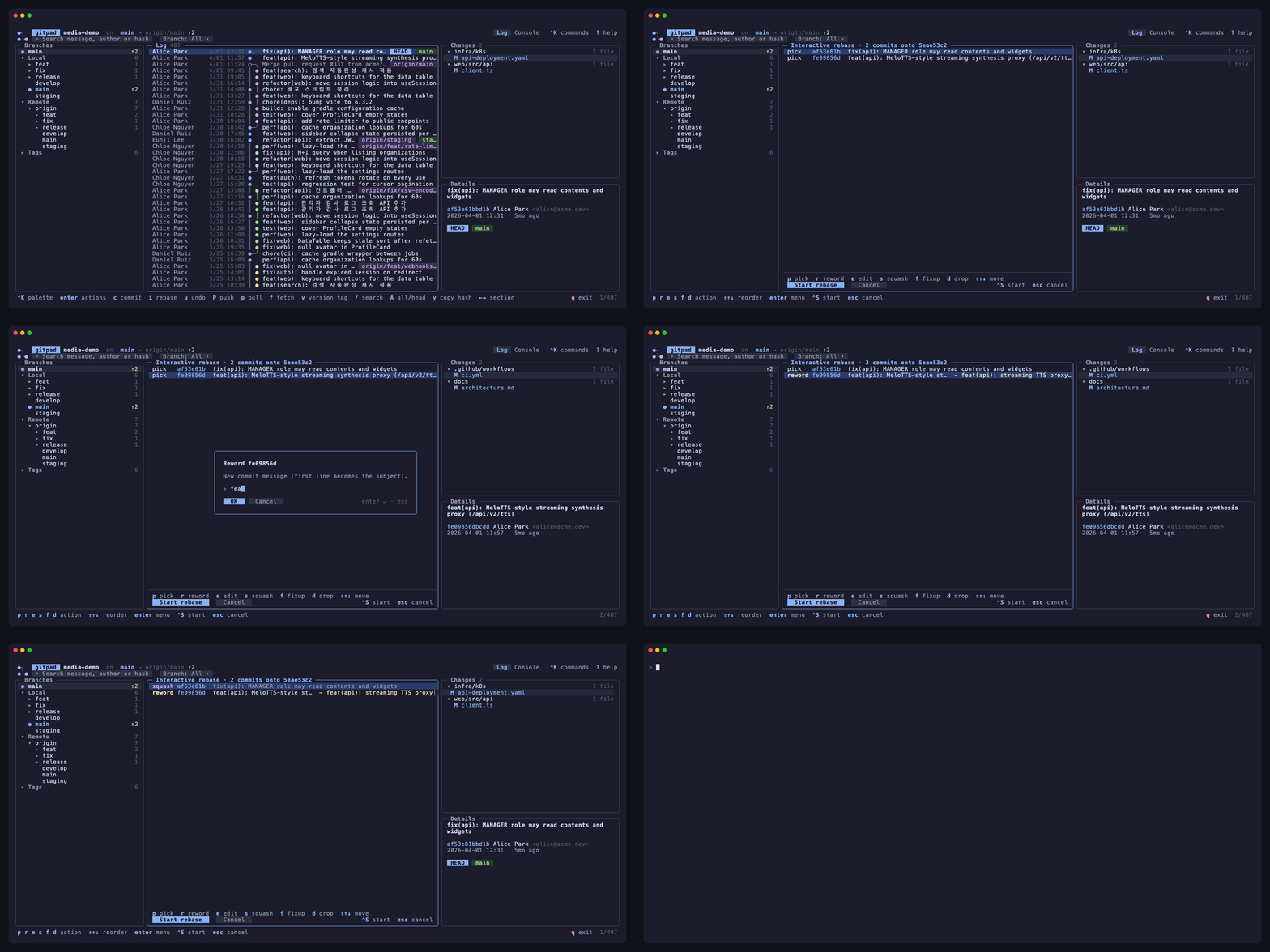
Interactive rebase
Pick, reword, edit, squash, fixup, drop and reorder from the log; rewords never open an editor.
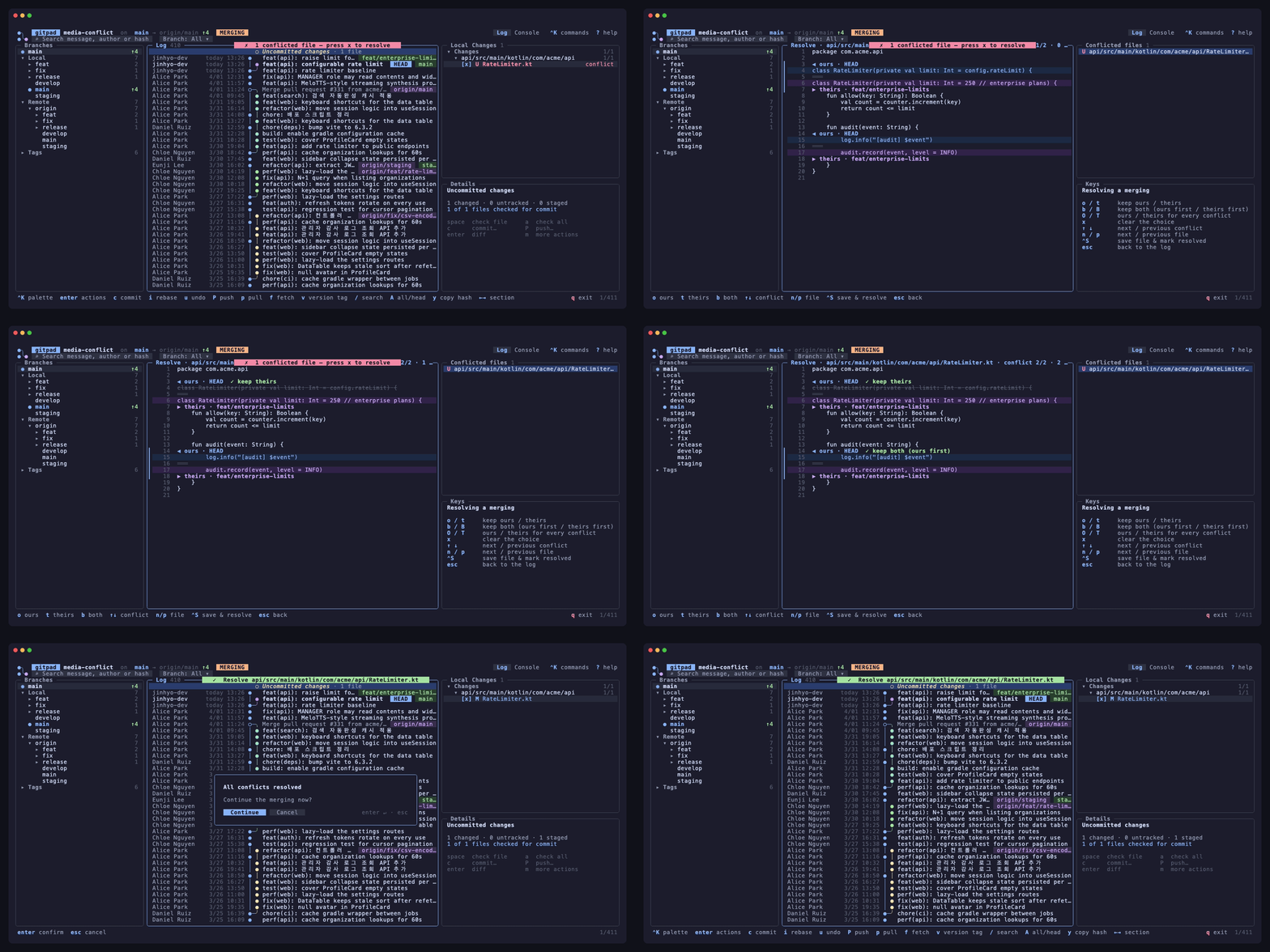
Conflict resolution
Ours, theirs or both per block, with the discarded side crossed out, then save, mark resolved and continue.
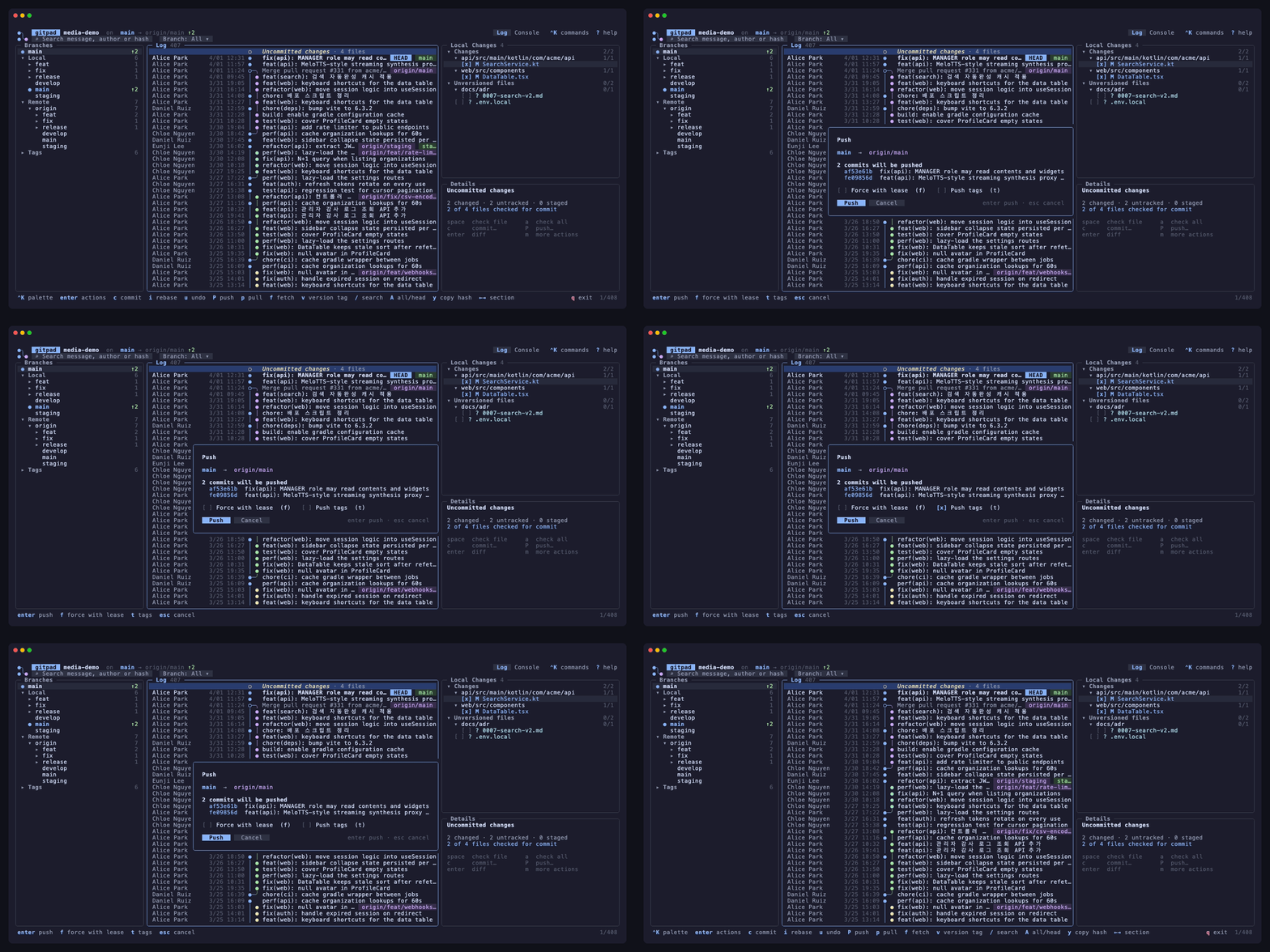
Push dialog
Exactly which commits will be pushed, a warning when the branch is behind, force-with-lease and tags as toggles.
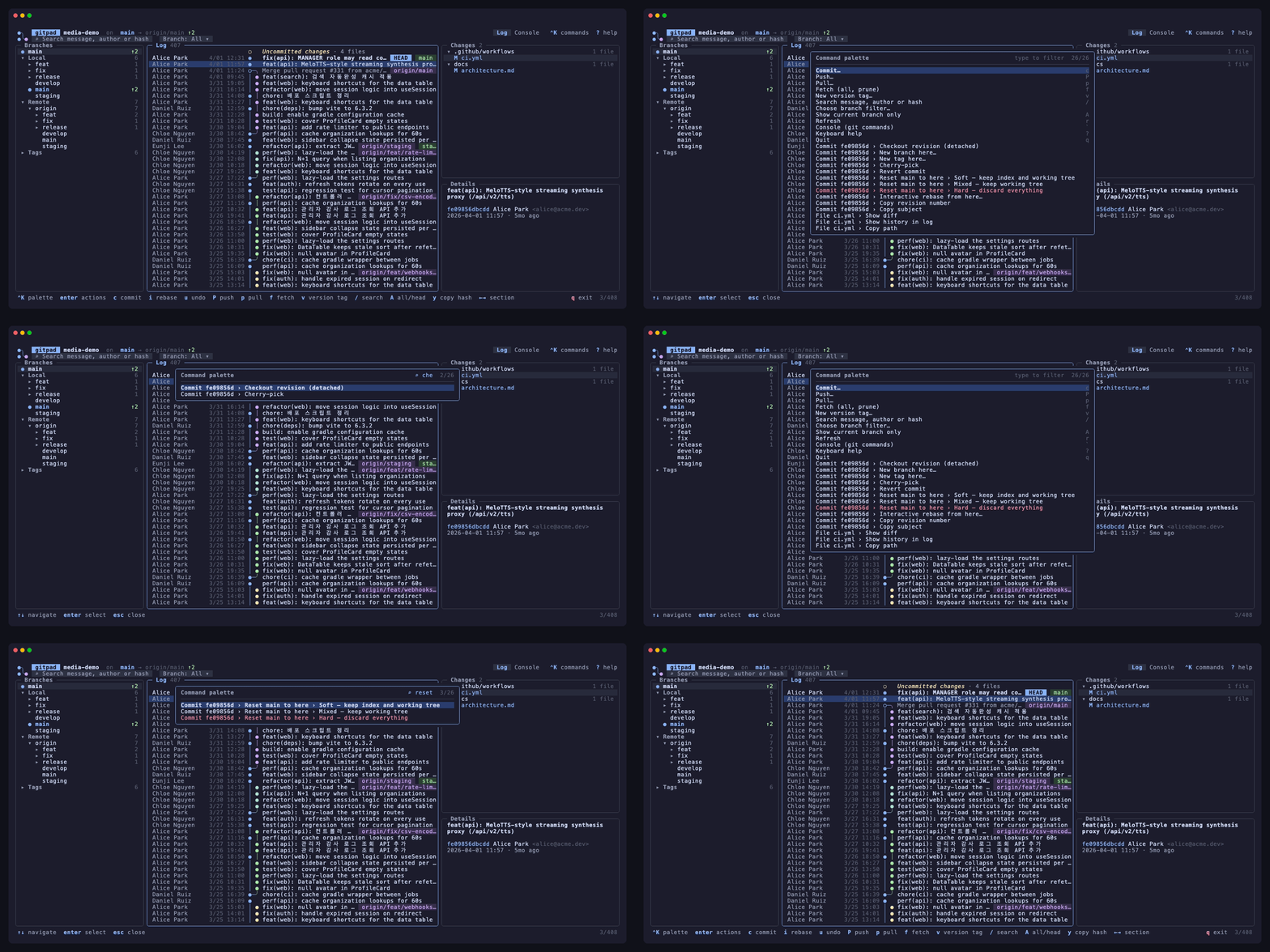
Command palette
Ctrl+K lists every action for the current selection — type to filter, Enter to run.
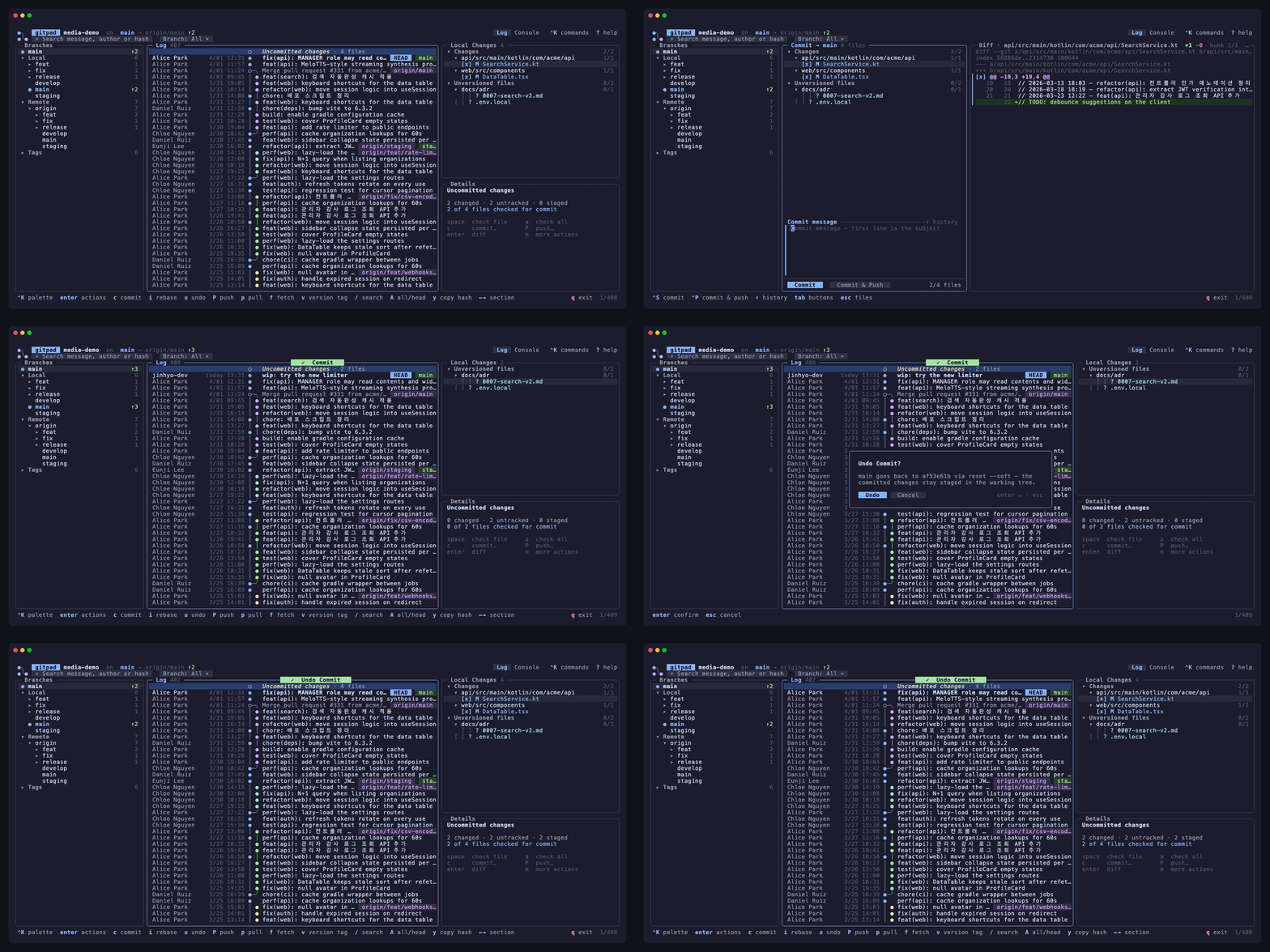
Undo
One key walks back the last commit, rebase, reset, checkout or deletion, explaining what it will do first.
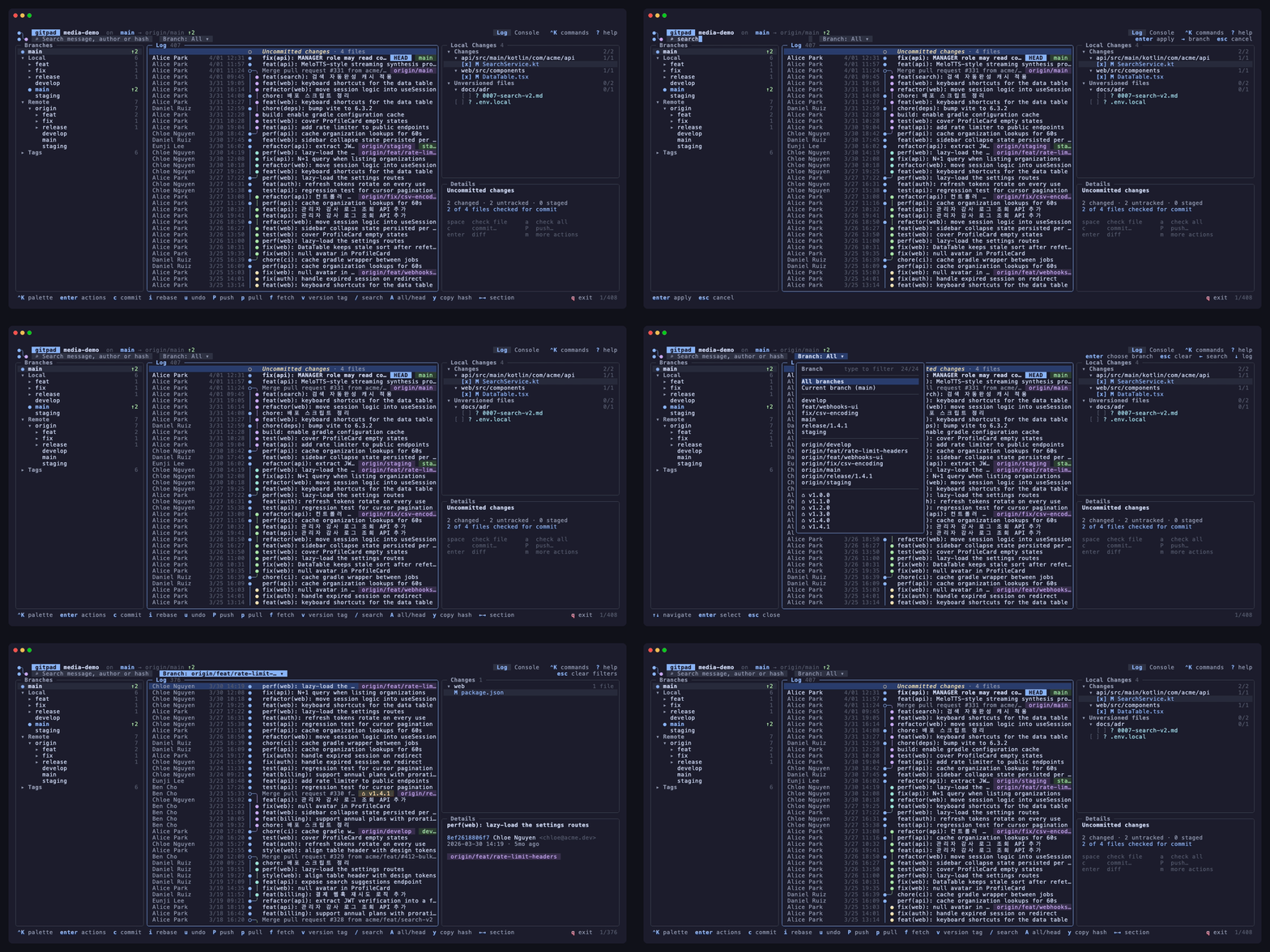
Search & branch picker
One box for messages, authors and hashes; a type-to-filter branch picker narrows the log.
Everything the log view should have
Designed to look and feel like a desktop Git client — without leaving the terminal.
Commit graph
Lanes, merges and branch heads drawn per commit, with ref chips for HEAD, branches, remotes and tags.
Context menus
Right-click or press Enter on any commit or branch: checkout, merge, rebase, cherry-pick, revert, reset, new branch or tag.
Commit workspace
Check the files you want, write a multi-line message with history recall, preview the diff of each file, commit or commit & push.
Push dialog
See exactly which commits will be pushed, get warned when the branch is behind, toggle force-with-lease or tags.
CI status
✓ ✗ ◌ next to every commit from GitHub checks, with the individual runs and durations in the details pane.
Search & filters
One search box for messages, authors and hashes, a branch picker with type-to-filter, and a file-history filter.
Install in one line
Pre-built binaries for macOS, Linux and Windows. gitpad shells out to your own git, so hooks, credential helpers and signing keep working.
$ brew tap jinhyo-dev/gitpad https://github.com/jinhyo-dev/gitpad$ brew install --cask gitpad
Then run gitpad inside any repository. All releases ↗
Keyboard first
Every action is a keystroke; the mouse works too.
Navigation
| tab · 1 2 3 | switch pane |
| j k ↑ ↓ | move |
| g / G | top / bottom |
| ← → | fold / unfold, then previous / next pane |
| ↑ at top | jump to the search bar |
Log
| enter / m / right-click | commit actions |
| / | search message, author or hash |
| A | all branches ↔ current |
| y | copy hash |
| v | new version tag (patch / minor / major) |
Commit & push
| c / C | commit workspace |
| enter | check / uncheck a file |
| ⌃S · ⌃P | commit · commit & push |
| P | push dialog |
| p | pull (merge / rebase / fetch) |
Diff
| enter | open diff |
| ↑ ↓ | next / previous change block |
| n / p | next / previous file |
| esc | back |